Minecraft players use different tools to improve, manage, and customize their worlds. MCA Selector and Dynamic Lights belong to very different categories, making their functions and practical applications quite distinct. MCA Selector is an external utility for inspecting and managing Minecraft world chunks, while Dynamic Lights is a gameplay-oriented feature or mod that improves illumination by allowing certain light-emitting items to illuminate their surroundings dynamically.
This comparison examines MCA Selector vs Dynamic Lights across features, performance, compatibility, requirements, use cases, advantages, and limitations. The goal is to clarify their differences without presenting either option as an overall winner.
MCA Selector Overview
MCA Selector is a desktop application designed for working with Minecraft’s Anvil-format world data. Instead of modifying gameplay directly, it gives users tools for viewing, filtering, selecting, and managing chunks in saved Minecraft worlds.
It can be particularly useful for large worlds where individual chunks or regions need to be inspected or removed. Because it works externally, players can perform certain world-management tasks without loading the entire map inside Minecraft.
Key MCA Selector Features
- Minecraft world inspection
- Chunk and region visualization
- Chunk selection
- Advanced filtering
- Selective chunk deletion
- World cleanup and maintenance
- Anvil-world data management
- External desktop workflow
- Support for large-world management
- Tools for identifying specific world areas
MCA Selector is primarily concerned with world data and chunk management, rather than visual effects or gameplay mechanics.
Dynamic Lights Overview
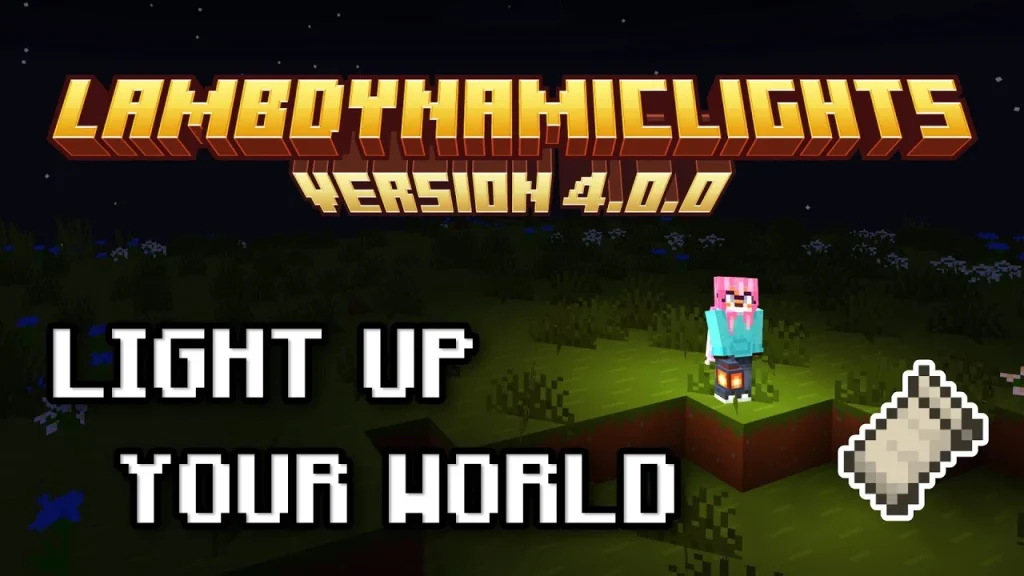
Dynamic Lights is a Minecraft visual enhancement concept commonly implemented through mods or mod-loader-compatible projects. Its main purpose is to make handheld or nearby light sources illuminate the surrounding environment dynamically.
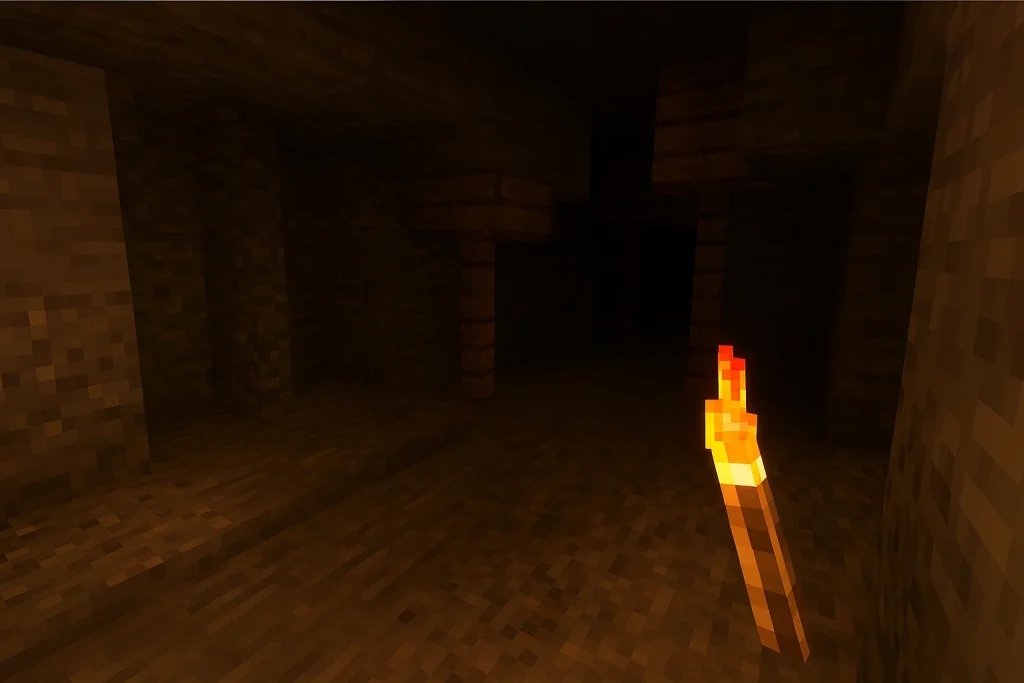
For example, depending on the implementation and configuration, holding a torch or another light-emitting item can provide illumination without requiring the player to place the item on a block.
This can make caves, mines, nighttime exploration, and other dark environments easier to see while maintaining a more dynamic lighting experience.
Key Dynamic Lights Features
- Dynamic illumination
- Handheld light sources
- Moving light effects
- Improved visibility during exploration
- Support for selected light-emitting items
- Configurable behavior in some implementations
- Integration with Minecraft’s rendering system
- Useful for caves and nighttime environments
Dynamic Lights therefore focuses on real-time visual lighting, rather than saved-world administration.
MCA Selector vs Dynamic Lights: Feature Comparison
| Feature | MCA Selector | Dynamic Lights |
| Primary purpose | Minecraft world and chunk management | Dynamic in-game illumination |
| Works inside Minecraft | No | Yes |
| Chunk management | Yes | No |
| World-file inspection | Yes | No |
| Chunk deletion | Yes | No |
| Dynamic lighting | No | Yes |
| Handheld light sources | No | Yes, depending on implementation |
| Cave exploration | Indirect | Yes |
| World cleanup | Yes | No |
| Rendering modification | No | Yes |
| Requires Minecraft mod loader | No | Usually yes |
| Standalone application | Yes | No |
| Gameplay enhancement | No | Yes |
| Large-world administration | Yes | No |
| Main focus | Technical world management | Visual gameplay enhancement |
World Management and Chunk Control
MCA Selector’s main purpose is to give users greater control over the structure of saved Minecraft worlds.
Minecraft worlds are divided into chunks, which store terrain and other world information. As a world becomes older and players explore larger areas, its save files can become increasingly large.
MCA Selector can help users work with this data by providing tools for selecting and managing specific chunks.
Common applications include:
- Removing unused terrain
- Cleaning up unwanted exploration
- Inspecting sections of a large world
- Managing generated areas
- Preparing chunks for regeneration
- Reducing unnecessary world data
- Performing selective world maintenance
Dynamic Lights has no equivalent functionality because it does not manage Minecraft save files or chunks.
Dynamic Lighting and Gameplay
Dynamic Lights addresses a completely different Minecraft experience.
In normal Minecraft, placing a torch or another light source generally changes the environment only after the object has been placed in the world. A dynamic-lighting implementation can allow certain light sources to illuminate nearby areas while being carried.
This can be particularly noticeable when:
- Exploring caves
- Mining underground
- Traveling at night
- Exploring abandoned structures
- Moving through dark areas
- Holding a torch while exploring
The exact supported items and lighting behavior depend on the Dynamic Lights implementation and Minecraft version.
Performance Considerations
Because MCA Selector and Dynamic Lights operate differently, their performance considerations are also different.
MCA Selector Performance
MCA Selector performs operations on saved world data outside Minecraft. Its workload can depend on:
- Overall world size
- Number of chunks being analyzed
- Filtering operations
- Selection size
- Storage performance
- Memory availability
- Complexity of the requested operation
A small world-management task may be relatively quick, while scanning or processing very large worlds can require considerably more time and system resources.
Dynamic Lights Performance
Dynamic Lights can have a more direct relationship with Minecraft rendering performance.
The game may need to update lighting or rendering information as the player moves while carrying a light source. The impact can vary according to:
- Minecraft version
- Rendering engine
- Mod implementation
- Number of active dynamic light sources
- View distance
- Other visual mods
- Graphics hardware
- Shader configuration
Modern implementations may use optimized rendering techniques, but the actual performance impact depends heavily on the surrounding modded environment.
Compatibility and Requirements
MCA Selector Requirements
MCA Selector is an external desktop utility, so it does not normally require a Minecraft mod loader.
Its main compatibility consideration is the Minecraft world format it can read and modify. Users should verify that the application version supports the particular Minecraft world they intend to process.
Since MCA Selector can make changes to saved-world data, creating a backup before performing deletion or other destructive operations is an important precaution.
Dynamic Lights Requirements
Dynamic Lights is generally installed as part of a Minecraft modding environment. Requirements can vary according to the particular release.
Users may need:
- A compatible Minecraft version
- The appropriate mod loader
- The Dynamic Lights implementation
- Required dependencies
- Compatible rendering or performance mods where applicable
A Dynamic Lights release intended for one Minecraft version should not automatically be assumed to work with another.
Installation Differences
MCA Selector and Dynamic Lights have fundamentally different installation processes.
MCA Selector is used as a standalone desktop program. Users typically launch it separately, select a Minecraft world, and then inspect or manage its chunks.
Dynamic Lights is integrated into the Minecraft installation. The appropriate mod file and dependencies are placed into the relevant modding environment, after which its functionality becomes available during gameplay.
In simple terms:
- MCA Selector: external world-management tool
- Dynamic Lights: in-game visual enhancement
Compatibility With Other Mods and Tools
MCA Selector generally operates separately from Minecraft’s active mod environment. This makes it conceptually different from rendering mods, performance mods, and gameplay modifications.
However, users should still understand which Minecraft version created the world and whether the world contains data from mods that could be affected by chunk operations.
Dynamic Lights can interact with other Minecraft modifications more directly. Rendering engines, shader systems, optimization mods, and other visual enhancements can influence how dynamic illumination behaves.
Compatibility therefore needs to be considered at the individual Minecraft-version and modpack level.
Use Cases
MCA Selector is suited to users who want to:
- Manage large Minecraft worlds
- Inspect individual chunks
- Remove unwanted chunks
- Clean up previously explored areas
- Prepare areas for regeneration
- Analyze world regions
- Perform technical world maintenance
- Manage saved-world data outside Minecraft
Dynamic Lights is suited to players who want to:
- Improve visibility in dark environments
- Carry a light source while exploring
- Make caves easier to navigate
- Add more dynamic visual lighting
- Enhance nighttime exploration
- Reduce the need to repeatedly place temporary lights
- Add visual immersion to survival gameplay
Pros and Limitations of MCA Selector
Pros
- Provides detailed chunk-level world management
- Works independently of active Minecraft gameplay
- Useful for large and established worlds
- Supports selective world-data operations
- Helps identify and manage specific areas
- Useful for technical Minecraft maintenance
- Does not require a gameplay mod loader
Limitations
- Does not enhance Minecraft’s visuals during gameplay
- Does not provide dynamic lighting
- Requires some understanding of Minecraft world structure
- Incorrect operations can affect saved-world data
- Large worlds can require significant processing
- Compatibility depends on supported world formats and application versions
Pros and Limitations of Dynamic Lights
Pros
- Improves visibility while exploring dark areas
- Can illuminate surroundings from handheld light sources
- Adds a more dynamic lighting effect
- Useful for caves, mines, and nighttime exploration
- Enhances the visual side of survival gameplay
- Can reduce the need to place light sources temporarily
Limitations
- Does not provide world-editing functionality
- Requires a compatible Minecraft mod environment
- Exact features vary by implementation
- May introduce additional rendering workload
- Compatibility can vary with shaders and other visual mods
- Supported light-emitting items depend on the specific implementation
MCA Selector vs Dynamic Lights for Different Minecraft Tasks
The distinction becomes straightforward when the intended task is considered.
MCA Selector is designed for technical world management. It is useful when the objective involves chunks, regions, generated terrain, or saved-world maintenance.
Dynamic Lights is designed for in-game visual enhancement. It changes how light sources behave while the player is exploring the world.
For example, someone attempting to remove large areas of unused terrain would be dealing with a task suited to MCA Selector. A player trying to illuminate a cave while carrying a torch would instead be dealing with a Dynamic Lights use case.
These are fundamentally different workflows rather than competing solutions to the same problem.
Key Differences at a Glance
- Purpose: MCA Selector manages Minecraft world data, while Dynamic Lights enhances in-game illumination.
- Operation: MCA Selector works externally; Dynamic Lights works during gameplay.
- Chunks: MCA Selector provides chunk-management capabilities; Dynamic Lights does not.
- Lighting: Dynamic Lights provides dynamic illumination; MCA Selector has no lighting function.
- Installation: MCA Selector is a standalone utility, while Dynamic Lights generally requires a compatible mod-loader environment.
- Performance: MCA Selector’s workload depends on world size and data operations, while Dynamic Lights can affect real-time rendering.
- Use cases: MCA Selector is suited to world maintenance; Dynamic Lights is suited to exploration and visual enhancement.
- Compatibility: MCA Selector primarily depends on supported world formats, while Dynamic Lights depends on Minecraft versions, mod loaders, and related rendering components.
Conclusion
MCA Selector and Dynamic Lights represent two separate categories of Minecraft customization. MCA Selector focuses on world inspection, chunk selection, and saved-world management, providing tools for technical maintenance of Minecraft maps.
Dynamic Lights focuses on real-time illumination and visual gameplay, allowing supported light sources to provide a more dynamic lighting experience during exploration.
Their differences in functionality, installation, performance considerations, compatibility, and intended use make them distinct tools rather than direct alternatives. Understanding whether the task involves managing Minecraft world data or enhancing in-game lighting provides the clearest distinction between MCA Selector and Dynamic Lights.